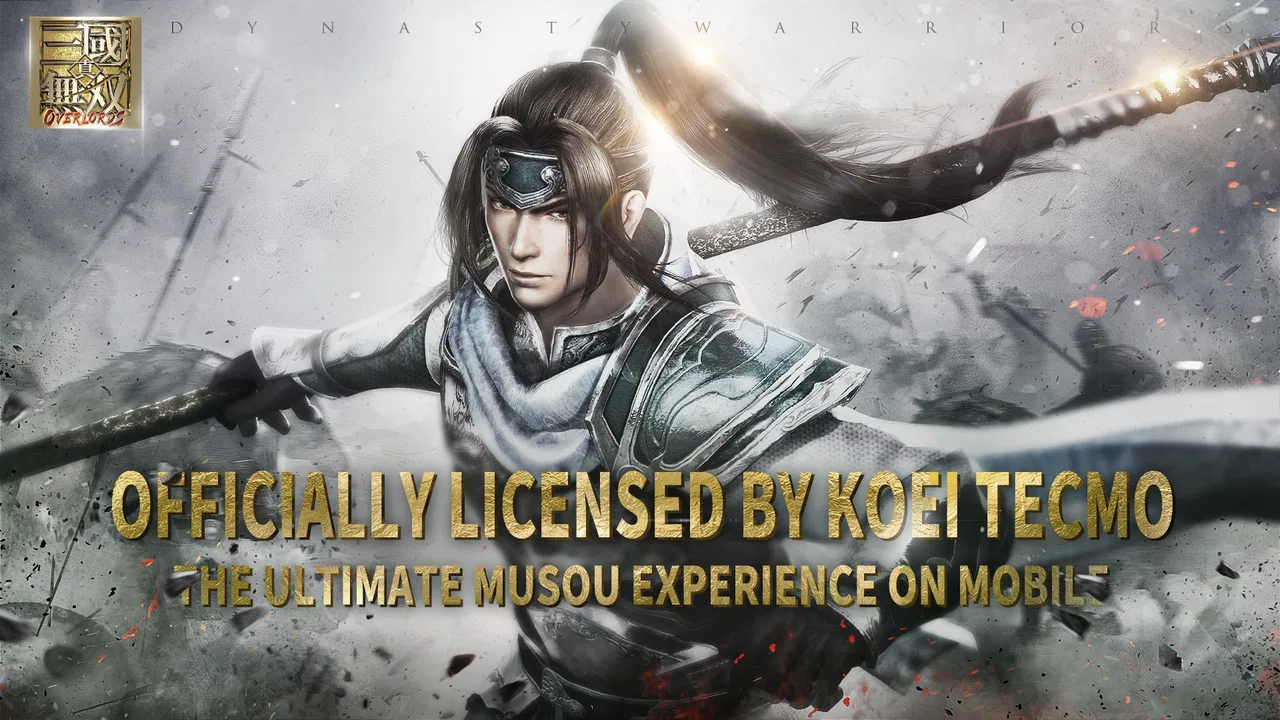
Dynasty Warriors: Overlords
- 4.3
- Rating
- 100.00K
- Installs
- Free
- Price

 Analysis by App-foxy
Dynasty Warriors: Overlords is the kind of action game I open when I want immediate battlefield energy rather than a slow, carefully planned strategy session. It carries the official Dynasty Warriors identity, with NEOCRAFT LIMITED behind it, and its appeal is easy to understand: the name promises a familiar heroic-warrior atmosphere, while the free entry point makes it simple to try. I found the first few minutes more important than the store summary suggests, because this is a game that asks you to settle into its controls, menus, downloads, and pacing before it becomes comfortable.
On Android, it is listed for devices running version 7.0 or later. The game is free to install, although optional purchases range from $0.99 to $99.99 per item. That combination makes the decision fairly straightforward: you can test the core experience without paying, but you should approach the purchase system with a limit in mind. It is rated Everyone 10+, and the current version is 1.0.3. Those details matter less than how the game feels in daily use, but they help set expectations before you commit storage, time, and attention.
Where the first session can become frustrating
The most common stumbling block with a mobile action game like this is not necessarily combat. It is the transition between installation, initial loading, account or connection checks, and the first playable sequence. I would not judge the game during that opening stretch alone. A title built around large-scale action can take longer to feel responsive while it prepares its content, and a phone that is nearly full or busy with other downloads can make the process feel worse than it really is.
You May Also Like

 Pandora - Music & Podcasts
Pandora’s Music Is Easy to Start, but Harder to Recover
Pandora’s strength is its low-effort path from a seed to a station. Its weak spot is how much confidence it asks you to place in connection, setup, and quiet recovery.

 8 Ball Pool
8 Ball Pool Is Built on Rivalries, Rematches, and Routine
A close look at the rivalries, rematches, shared routines, and unanswered safety questions that turn a quick pool match into a persistent mobile community.

 Samsung Music
Samsung Music’s Quiet Strength Is Playing What You Already Own
Its reach comes less from spectacle than from dependable access to a personal library. That simplicity is both the app’s strongest retention engine and its ceiling.

 AccuWeather: Weather Radar
AccuWeather Review: A Quick, Clear Forecast for Everyday Decisions
For everyday plans, the best forecast is the one you can understand quickly. AccuWeather makes rain timing, radar, and local conditions easy to act on, with a few trade-offs.

 Hill Climb Racing
Why Hill Climb Racing Still Turns Crashes Into One More Run
A tiny car, a bumpy hill and one more upgrade: Hill Climb Racing keeps resurfacing because its simple chaos makes every near-miss feel personal.

 AliExpress - Shopping App
AliExpress Makes Global Shopping Feel Personal, but Shoppers Bear the Risk
AliExpress turns a global marketplace into a pocket-sized discovery engine. Its reach is useful, its shopping loop compelling, and its trade-offs easy to miss.
More From Our News Desk
View All News


My practical advice is to begin on a stable connection and leave other heavy downloads alone until the game reaches its main playable screen. If the opening appears frozen, I would first wait rather than repeatedly tapping buttons or closing the app. Repeated restarts can turn a temporary loading delay into a confusing loop, especially when the game is still completing its first setup. If nothing changes after a reasonable pause, a clean restart is more useful than rapidly switching between screens.
Another early friction point is control familiarity. Dynasty Warriors games are associated with fighting through groups of enemies, but a touch interface does not automatically feel like a console controller. I needed a short adjustment period to learn how much movement comes from the virtual controls, how quickly attacks respond, and whether I was looking at the battlefield clearly enough to react. The first battle should be treated as a tutorial for your hands, not as a test of whether the whole game is good.
Give the controls a fair trial before deciding that the combat is awkward. I recommend playing the opening encounters with both thumbs in their natural positions and avoiding unnecessary screen touches. When the action becomes crowded, accidental taps can be mistaken for delayed input. A clean grip and a bright enough display make a noticeable difference, particularly on a smaller phone.
What I check before blaming the game
When an action game stutters, closes, or responds slowly, I start with the device rather than assuming the title is broken. I close unrelated apps, make sure the phone is not in an extreme battery-saving mode, and check that there is comfortable free space for installation and updates. I also avoid playing while the handset is already hot. Heat can make any demanding game feel inconsistent, and reducing screen brightness slightly or taking a short break is often more sensible than forcing a long session.
The minimum operating-system requirement is Android 7.0, but meeting that requirement alone does not guarantee an equally smooth experience on every phone. Age, available memory, background activity, and thermal condition all affect how an action game behaves. If the game runs acceptably in quiet sections but becomes less stable during busy fights, I would first test it after a restart with other apps closed. That simple comparison tells you more than changing several settings at once.
I also check whether the problem affects only the game. If other apps cannot connect, videos buffer everywhere, or the phone is struggling to load ordinary pages, the network or device is the more likely source. If only this title fails while everything else works, then restarting the game and checking for an available update becomes the next sensible step. This order saves time and avoids deleting useful data before basic checks are complete.
Making the opening workflow less troublesome
I prefer to prepare for a session before launching the game. I charge the phone, connect to a dependable network, close demanding apps, and decide how long I actually want to play. That last step sounds minor, but it helps with a free action game that includes optional purchases. Going in with a clear time and spending boundary keeps the session focused on whether the combat and progression suit me, rather than letting a difficult encounter push me toward an impulse purchase.
For a first run, I would not rush through every prompt. Read the control instructions, notice how the game presents rewards, and learn where the important menus are before starting to tap through them. This is one of the less obvious advantages of slowing down: later, when you are trying to recover from a failed mission or understand why progress feels blocked, you will already know which screens you have visited and which choices you made.
If the game asks you to wait during loading, keep the phone still and avoid locking the screen repeatedly. On some devices, switching away from a game at the wrong moment can interrupt its resume process. I cannot promise that this prevents every issue, but it is a safer workflow than rapidly opening several apps while the title is still preparing the session.
For younger players, the Everyone 10+ rating is a useful starting point, but I would still look at the purchase settings on the device being used. The game is free, yet individual in-app items can cost from $0.99 up to $99.99. That is a meaningful range, so families should establish purchase approval before handing over the phone. The rating describes age suitability; it does not replace a conversation about spending.
Recovering when a session goes wrong
When a session fails to load, I use a gradual recovery process. First, I return to the main device screen and relaunch the game once. If that does not help, I restart the phone, because this clears temporary background problems without immediately removing the game or its local information. I then check the connection and available storage. Only after those steps would I consider more disruptive actions, and I would be careful not to erase anything unless I understood what might be lost.
This matters because deleting and reinstalling is often treated as a universal fix. It can help with a damaged installation, but it can also create more work if the game needs to download its content again or if progress depends on a sign-in process you have not completed. I would use reinstalling as a later option, not as the first response to a single failed launch. If the game opens normally after a restart, the original issue was probably temporary and did not justify a full reset.
Connection problems deserve their own approach. If the game loads on one network but not another, the difference is valuable evidence. Try the more reliable connection, avoid moving between networks during the initial loading process, and do not assume that a strong signal always means a stable connection. A phone can show good reception while the network itself is congested. If other online apps are also failing, wait and test again later instead of repeatedly changing the game’s installation.
For control problems, I make one change at a time. I hold the phone differently, clean the screen, remove a thick case if it interferes with edge touches, and try a shorter session after the device cools. If the response improves, the issue was likely physical or thermal rather than a permanent game fault. If the same input problem appears in every session, I would document exactly when it happens: during menus, movement, attacks, or crowded fights. That description is far more useful than simply saying that the controls feel bad.
The same method works for sound and display complaints. Check the phone’s media volume, mute controls, brightness, and any system-wide gaming mode before assuming the title has lost its audio or visual settings. A quick test with another app can show whether the phone itself is behaving normally. These checks may feel obvious, but they prevent a great deal of unnecessary reinstalling and make it easier to identify a genuine game-specific issue.
Where the game earns its place
Once the setup is out of the way, the strongest reason to keep Dynasty Warriors: Overlords installed is its direct action identity. I do not need to explain why I am opening it: I want the recognizable Dynasty Warriors flavor in a mobile format. That makes it a good fit for players who prefer active input over watching long story sequences or managing a purely numerical team. The appeal is immediate when you want to spend a short break doing something energetic.
It also works well as a trial for someone curious about the franchise but unwilling to buy a premium game first. The free price removes the biggest barrier to entry. I would still approach it as an experiment rather than a promise of a full console replacement. A phone game has different limits: touch controls, shorter sessions, variable performance, and a purchase structure that can influence how you choose to progress. The right question is whether this version gives you enough enjoyable action on your device, not whether it duplicates every other Dynasty Warriors experience.
A realistic everyday use case is a commute or lunch break where I have ten or fifteen minutes and want a game that can provide a clear burst of activity. I would launch it only after the initial content has finished loading and the phone is not already struggling. If I had a longer evening session, I would use that time to explore more of the menus and progression rather than repeating the same fight without understanding the surrounding systems. That distinction helps prevent a short-term novelty from becoming a frustrating routine.
One useful habit is to separate learning from spending. During the first several sessions, I would focus on understanding the combat rhythm, the way objectives are presented, and which rewards arrive through ordinary play. I would not buy an item simply because a mission feels difficult. That approach gives you a clearer picture of the game’s natural pace and makes it easier to decide whether optional purchases are genuinely valuable to your play style.
Where alternatives may suit you better
Compared with a premium action game, this title is easier to try but may feel less predictable as a long-term commitment because it is free and includes optional purchases. A paid alternative can be better for someone who wants a self-contained experience with a clear upfront cost. I would choose that route if I disliked purchase prompts, wanted to play offline without interruptions, or preferred a carefully fixed campaign over an evolving mobile structure.
Compared with a turn-based role-playing game, Dynasty Warriors: Overlords is the better choice when you want your own movement and attacks to matter in the moment. A turn-based alternative is more comfortable if you play on a small screen, dislike fast touch input, or want to think through every action without pressure. Neither approach is universally superior; the decision comes down to whether you want physical engagement or deliberate planning.
It is also not the right pick for every phone. If your device is older, frequently overheats, or has very limited free space, the installation and performance checks may become more trouble than the action is worth. In that situation, a lighter fighting game may provide a smoother daily experience. Meeting the Android requirement is necessary, but my recommendation depends on how the game behaves on your particular handset, especially during busy scenes.
My practical verdict after living with it
Dynasty Warriors: Overlords is worth trying if you want a free, mobile-friendly entry into the official Dynasty Warriors franchise and enjoy action that asks for active touch input. Its average rating is 4.3 from around 5.8K ratings, and it has passed 100K installs, which suggests that the concept has found an audience without making the numbers the main reason to play. I would describe it as approachable, energetic, and more dependent on your device and patience during setup than a short store summary indicates.
My recommendation is strongest for fans who already know what they want from the franchise: fast battlefield action, recognizable presentation, and a game they can sample without an upfront payment. I would be more cautious with players who want a premium, offline-style package or who dislike any possibility of spending inside a free game. The purchase range, from $0.99 to $99.99 per item, makes personal boundaries important rather than optional.
If you install it, begin with the practical checks: use a stable connection, free some storage, close background apps, keep the phone cool, and give the controls time to settle. If loading fails, restart gradually instead of immediately reinstalling. If the same problem appears across other apps, look at the device or network first. Those habits will not solve every technical issue, but they give you the fairest test of what the game itself offers.
After that test, the decision is simple. Keep it if the touch combat gives you the satisfying burst of action you were looking for and your phone handles it comfortably. Move on if the setup friction, heat, control style, or purchase structure repeatedly gets in the way. In my experience, the best reason to choose this game is its accessible Dynasty Warriors action, not the promise that it will replace every other action game. That makes it an easy recommendation to try, but a more selective recommendation to keep.
FAQs for Dynasty Warriors: Overlords
01What is Dynasty Warriors: Overlords, and how does the gameplay work?
Dynasty Warriors: Overlords is a mobile action RPG based on the classic Three Kingdoms setting. You control famous warriors, fight through large groups of enemies, complete story missions, and develop your team over time. Combat focuses on real-time movement, skill timing, combos, and switching between officers, while progression includes equipment upgrades, character development, and several game modes.
02Can Dynasty Warriors: Overlords be played offline?
The game is primarily designed as an online experience, so an internet connection is generally required for account access, event participation, cloud-based progression, multiplayer features, and regular content updates. Some training or story elements may appear accessible after loading, but players should not expect a complete offline mode. A stable Wi-Fi or mobile data connection is recommended.
03Is Dynasty Warriors: Overlords free to download and play?
Dynasty Warriors: Overlords can typically be downloaded for free, but it uses optional in-app purchases. Players can progress by completing missions, collecting rewards, and managing resources, although purchases may speed up character development or provide additional summons and items. Before downloading, check the store listing for the current pricing, supported payment methods, and regional availability.
04Does the game include multiplayer or competitive features?
Yes, Dynasty Warriors: Overlords is built with social and competitive elements in mind. Depending on the current version and region, players may encounter cooperative activities, guild or alliance systems, rankings, arena battles, and other events involving online participation. These features can add variety beyond the campaign, but they may also require stronger characters and regular play to remain competitive.
05What devices are recommended for playing Dynasty Warriors: Overlords?
Because the game features real-time combat, detailed character models, numerous enemies, and online services, performance depends heavily on your device. A relatively modern Android or iPhone with sufficient free storage, updated system software, and stable internet should provide the best experience. Older or entry-level devices may experience longer loading times, reduced graphics quality, overheating, or occasional frame-rate drops.
Pros
- Fast-paced battles with satisfying combo-based combat
- Large roster of iconic Dynasty Warriors characters
- Multiple game modes provide variety beyond the story
- Character upgrades offer meaningful long-term progression
- Guild features encourage cooperation with other players
Cons
- Energy limits can interrupt longer play sessions
- Many upgrades and systems may overwhelm new players
- Progress can feel slow without regular resource farming
- Some content and rewards may favor paying players
- Requires a stable internet connection to play

Dynasty Warriors: Overlords
Gallery